1099

1099 Driver Hiring System

Your truck.
A contract driver.

A 1099 truck driver contract, CDL-A qualification forms, and payment paperwork, with employer guides in English and Russian.

For carriers that have already determined an independent contractor relationship is appropriate for a driver using company equipment.

One ZIP: PDFs, Word templates, EN/RU guides, and HTML Workspace.
No monthly subscription. Digital download through Payhip.

Offline Workspace included
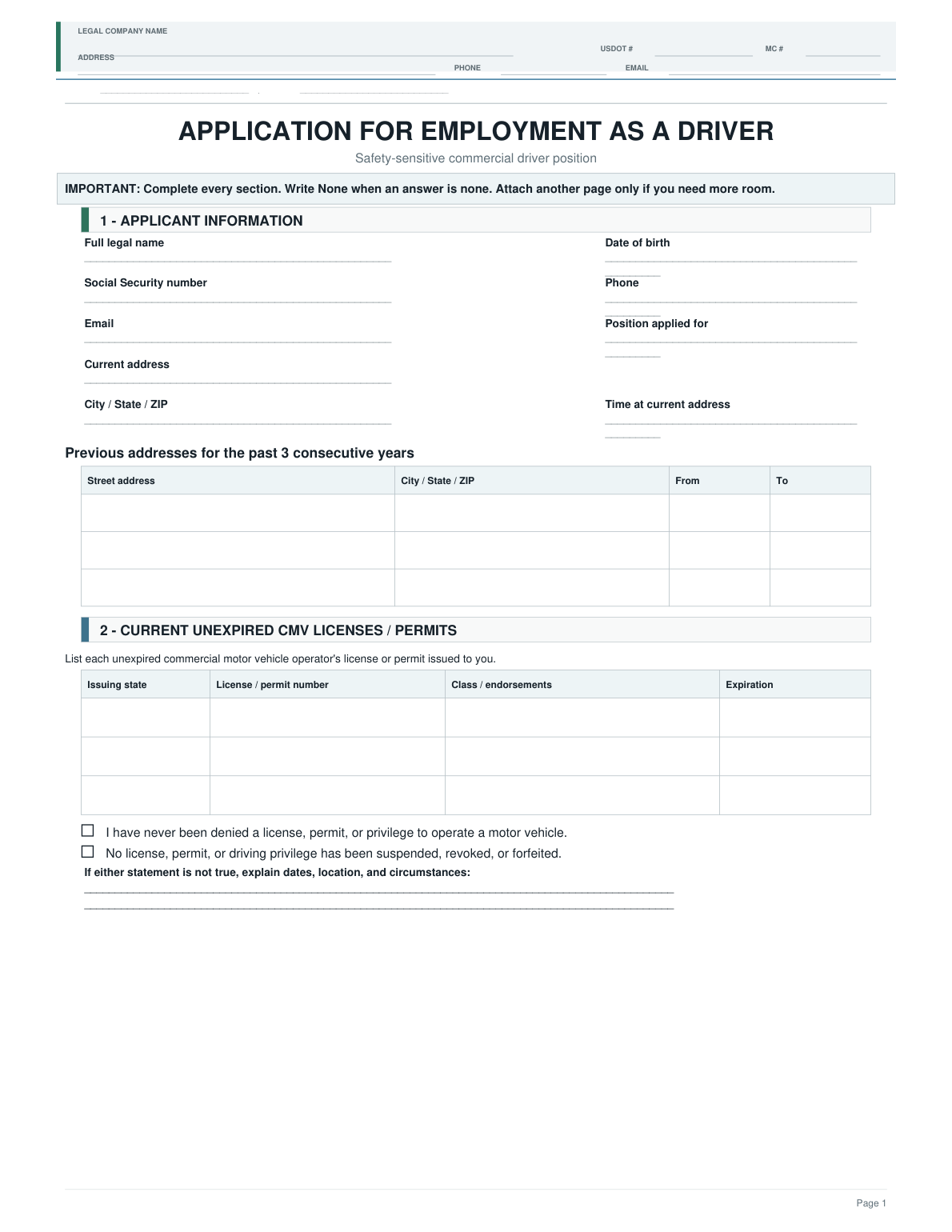
Driver Employment Application from the 1099 system
1099Agreement + paymentsForms + guides + Workspace
Actual documents from the system.
Click the page for a closer look.
YOUR WORKFLOW
  1. 01CDL-A qualification
  2. 02Agreement + W-9
  3. 03Payments + records

01 / INSIDE THE SYSTEM

Two parts. One hiring process.

01

CDL-A qualification

Collect driver information and organize the carrier’s steps before the first trip and throughout the working relationship.

02

Agreement & payment setup

Document the working terms and collect the information needed to pay the contractor.

  • 1099 Contractor Driver Service Agreement
  • Official IRS Form W-9
  • ACH Direct Deposit Authorization

Keep driver qualification records in the DQF. Store agreements, tax forms, and payment records in a separate restricted business file.

02 / GUIDANCE YOU CAN USE

Keep the agreement and payment records organized

See who completes each document, what to review, and where to keep the agreement, W-9, and payment information outside the DQF.

An actual page from the included English guide. Open it to read the instructions.

1099 · EN · Page 6Original PDF ↗

Open your ZIP

Extract the download on your computer. Start with START HERE and the Quick Map.

Prepare the forms

Print the prepared PDFs or customize the included Word templates.

Follow the guide

See who takes each action, what to review, and where to keep the result.

Keep records current

Record completed steps and key dates in your local Workspace.

Included in $29 / OFFLINE WORKSPACE

From the application
to the next MVR review.

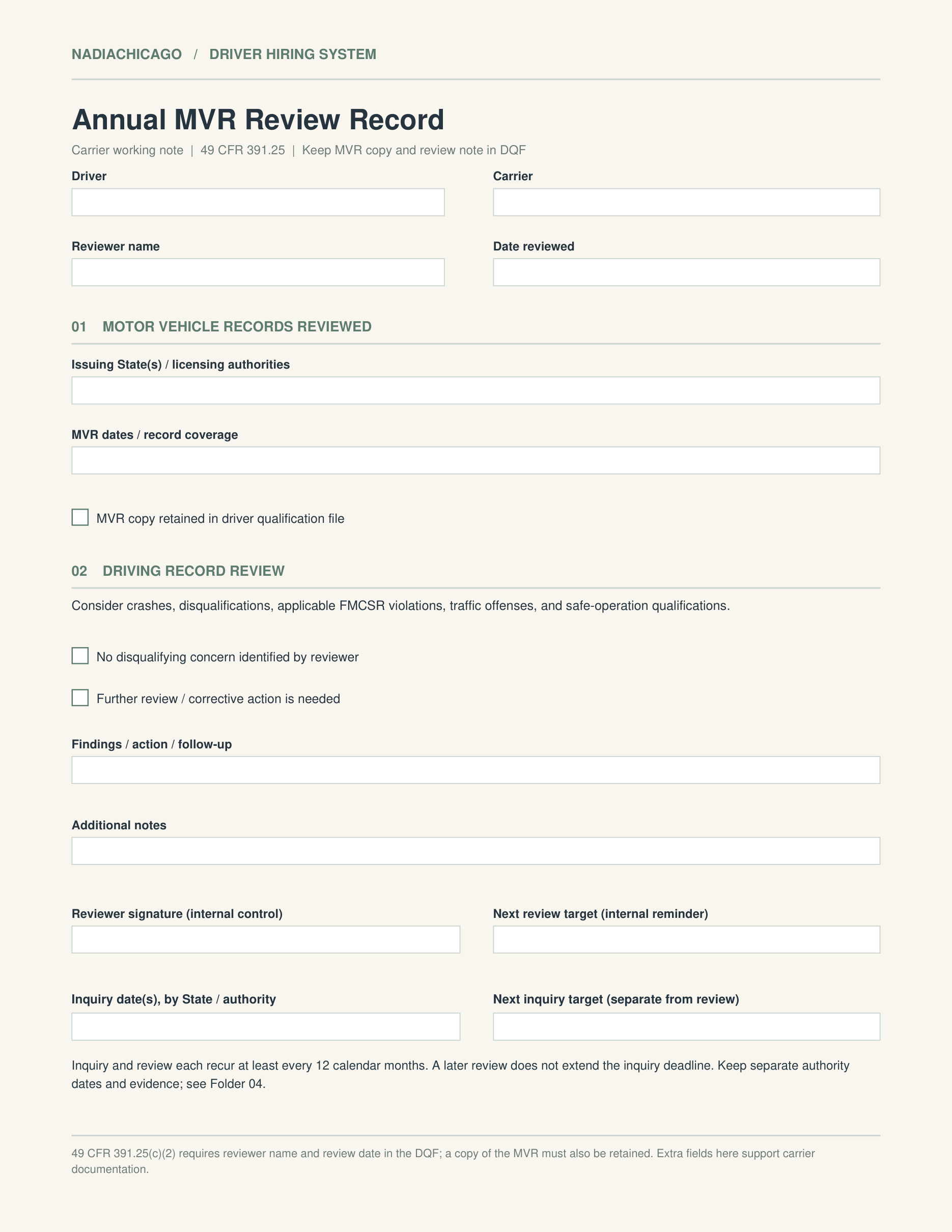
Connect applications, authorizations, and annual reviews to the carrier’s next action. See what is marked complete, which form to open, and where the record belongs.

NADIA CHICAGO / HIRING WORKSPACEOffline · HTML

APPLICATION & MVR

Alex M. · 1099 Contractor

Sample data
CollectVerifyFileMaintain
01BEFORE FIRST DISPATCHCollect a completed, signed applicationComplete
Who does it
Driver → carrier
Where to file
Driver qualification file (DQF).

Marked complete in this example: Oct 8, 2026.

02CARRIER ACTIONObtain MVR authorization when requiredNot complete
Who does it
Driver signs; carrier checks applicable requirements
Where to file
The appropriate restricted file.

This sample action has not been marked complete.

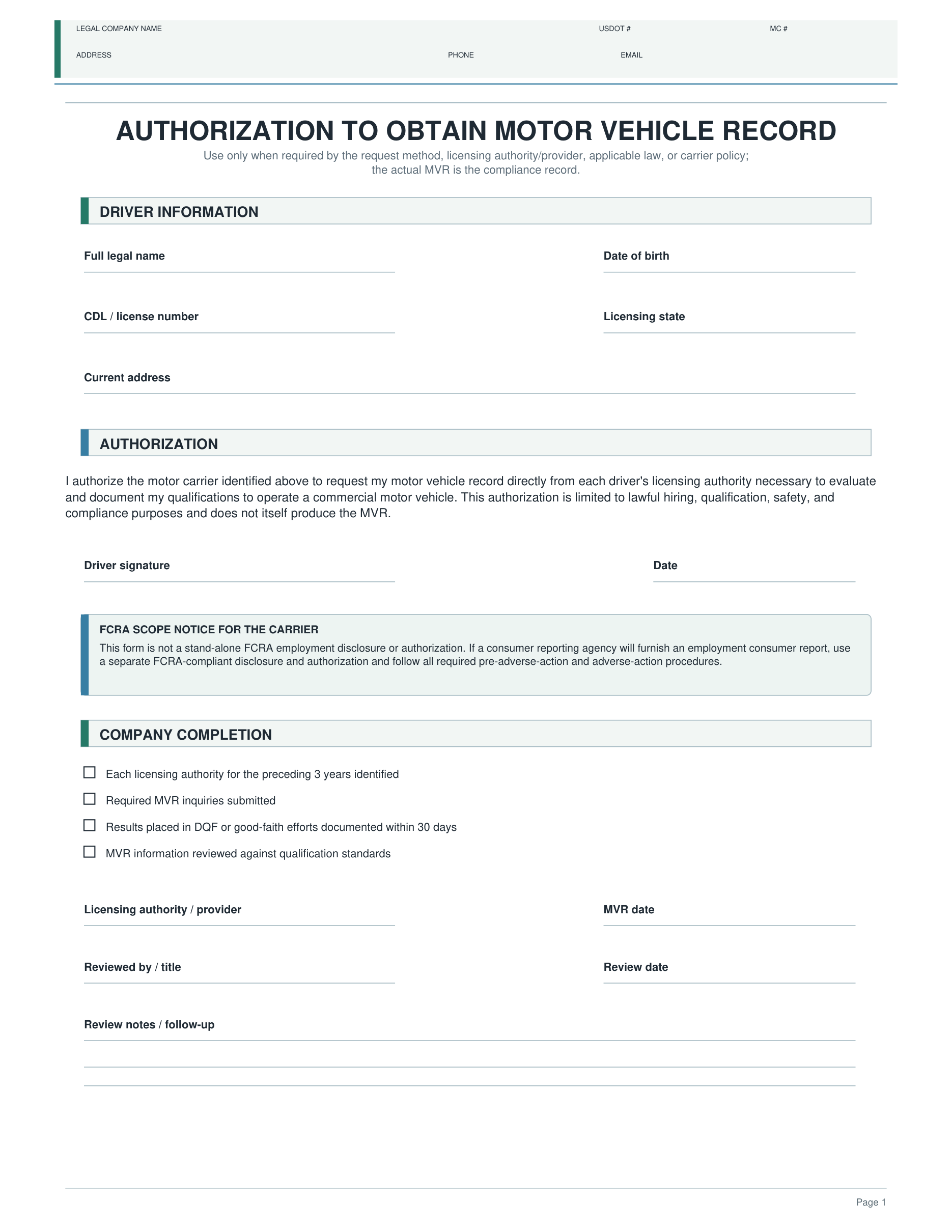
DATE FROM DRIVER PROFILEAnnual MVR review
10/20/2026In 12 days

RELATED FORM · PDF

MVR Authorization
One ZIP. Ready to work.One-time purchase · no subscription
PDFPrint the packetPrepared packets and individual forms
WORDMake it your ownIncluded editable Word templates
EN / RUFollow clear stepsEnglish forms, EN/RU guides
HTMLTrack dates & recordsWorkspace on your computer

Fictional sample data only; this preview accepts and saves no information. Workspace helps organize records. Your company performs checks, keeps backups, and stores completed documents separately.

What Our Customers Say

Excerpts from customer reviews on Payhip.

04 / BEFORE YOU BUY

The right fit for
your operation?

A 1099 label or signed agreement does not establish independent contractor status. This system does not determine worker classification for you.

If the driver brings a truck and operates under your authority, see Owner-Operator. For an employee driver, choose W-2.

Compare systems

This system helps organize your paperwork and workflow. It does not replace individualized legal, tax, or employment advice or guarantee compliance with every applicable requirement.

Is this for every driver who receives a 1099?

No. It is for a contractor using company equipment, after the company has determined that relationship is appropriate. A driver who supplies a truck and personally operates under your authority with an equipment lease needs the Owner-Operator system.

How do I receive the system? Can I print it again?

After checkout through Payhip, you receive access to one ZIP. Download and extract it on your computer. Reprint forms and reuse the included Word templates for your company’s drivers under the included license.

Where does Workspace save my data?

Locally in your browser on your computer. Use the interface to export a backup and restore it later. Back up after important changes and before clearing browser data or switching computers. The HTML file alone is not a backup of your records.

Does Workspace run checks or send reminders?

Workspace organizes the dates, statuses, and completed actions you enter. It does not request MVRs or Clearinghouse queries, retrieve drug-test results, or send email or text messages. It sends no notifications while closed and does not provide cloud document storage.

Is there a subscription or a promise of ongoing updates?

This is a one-time purchase with no monthly subscription. Lifetime regulatory updates are not promised. Check current official forms and requirements before using the documents for your company.

What are the license terms? What if my download won’t open?

The license is for the purchasing company’s internal use. Do not resell, publish, or distribute the package or templates to other companies. Full terms are in the Product License and Disclaimer inside your ZIP. For download problems, use your Payhip receipt and the Payhip file-opening guide.

1099 Driver Hiring System

Start with a ready-to-use
document packet.

PDF + Word + Guides EN/RU + offline Workspace.
Digital ZIP download. Payment terms and your final total appear at Payhip checkout.

Actual product document

Original PDF page